CRM in plain language

We bring order to customers, tasks, invoices
and team control

If information currently lives in chats, Excel files, folders and employees heads, we bring it into one clear system. The owner sees what is happening, the team works faster, and less control has to happen by asking people one by one.

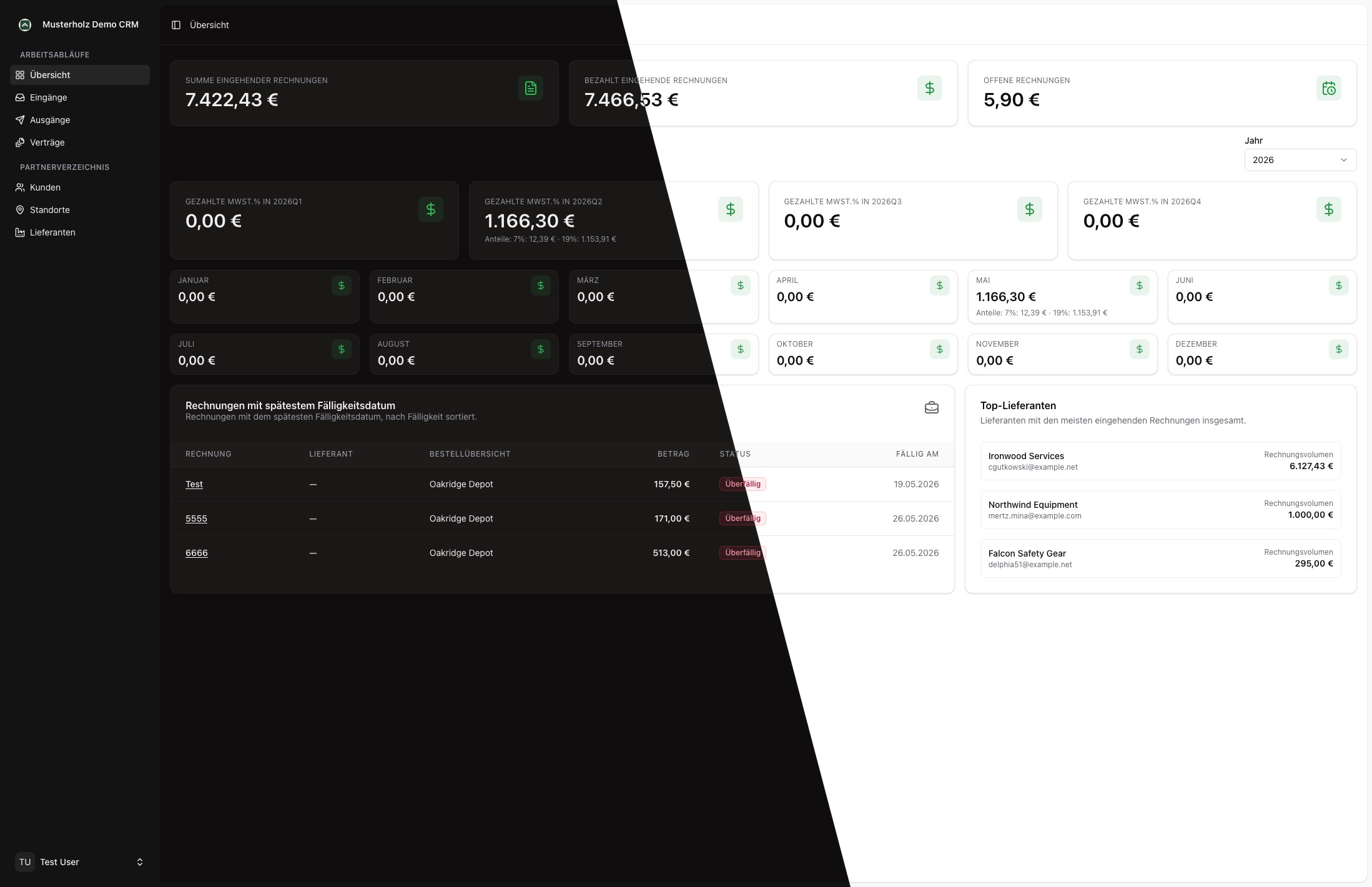
CRM demo dashboard with a diagonal split between dark and light mode

Does this sound familiar?

We explain CRM through the daily problems it removes, not through technical terminology.

Requests disappear in chats

Problem

A customer writes on WhatsApp, someone replies, but the request never becomes tracked work.

Result

Every request becomes a task with status, owner and next step.
Reports are collected manually

Problem

Employees send photos, hours and comments to different places.

Result

Work, time, travel and materials are captured directly in one flow.

Invoices take too long

Problem

The office checks spreadsheets, searches for data and copies information into documents.

Result

The system prepares invoice data, PDF and payment status without double entry.

Control takes over evenings

Problem

The owner keeps asking: what is done, what is stuck, where is the money?

Result

Progress, open amounts, active tasks and bottlenecks are visible on one screen.

A simple example

One path from customer request to ready invoice

This is CRM without jargon: not a complicated system, but a clear work route that does not get lost between people.

Result for the owner

Less manual control, more transparency

You no longer waste time searching through chats and spreadsheets. The system shows where work is moving, where it is stuck and what can already be invoiced.

1

Customer sends a request

The request enters the system with contact, topic and source.

2

Task is created

The responsible person sees what needs to be done, which customer it belongs to and the current status.

3

Team completes the work

The employee records time, comment, photo or progress directly during the job.

4

Report and invoice are ready

The office prepares summary, PDF, email and payment control faster.

Why IntelliWeb

We do not sell a set of buttons. We put your chaos in order

You do not need to know CRM terminology. It is enough to show where time, money and responsibility get lost today. We translate that into a simple system for your team.

Show us your process
01

We start with what hurts every day

We look at where requests get lost, who controls what, which documents are manual and what takes the most time.

02

The first useful result appears early

You see the future screens and work path before budget goes into secondary features.

03

We build a system that can grow

First we solve the main pain, then add reports, mobile flows, integrations and automation.

04

German market context is considered

Contact forms, imprint, privacy policy, access rights and data flows are planned from the start, not patched chaotically at the end.

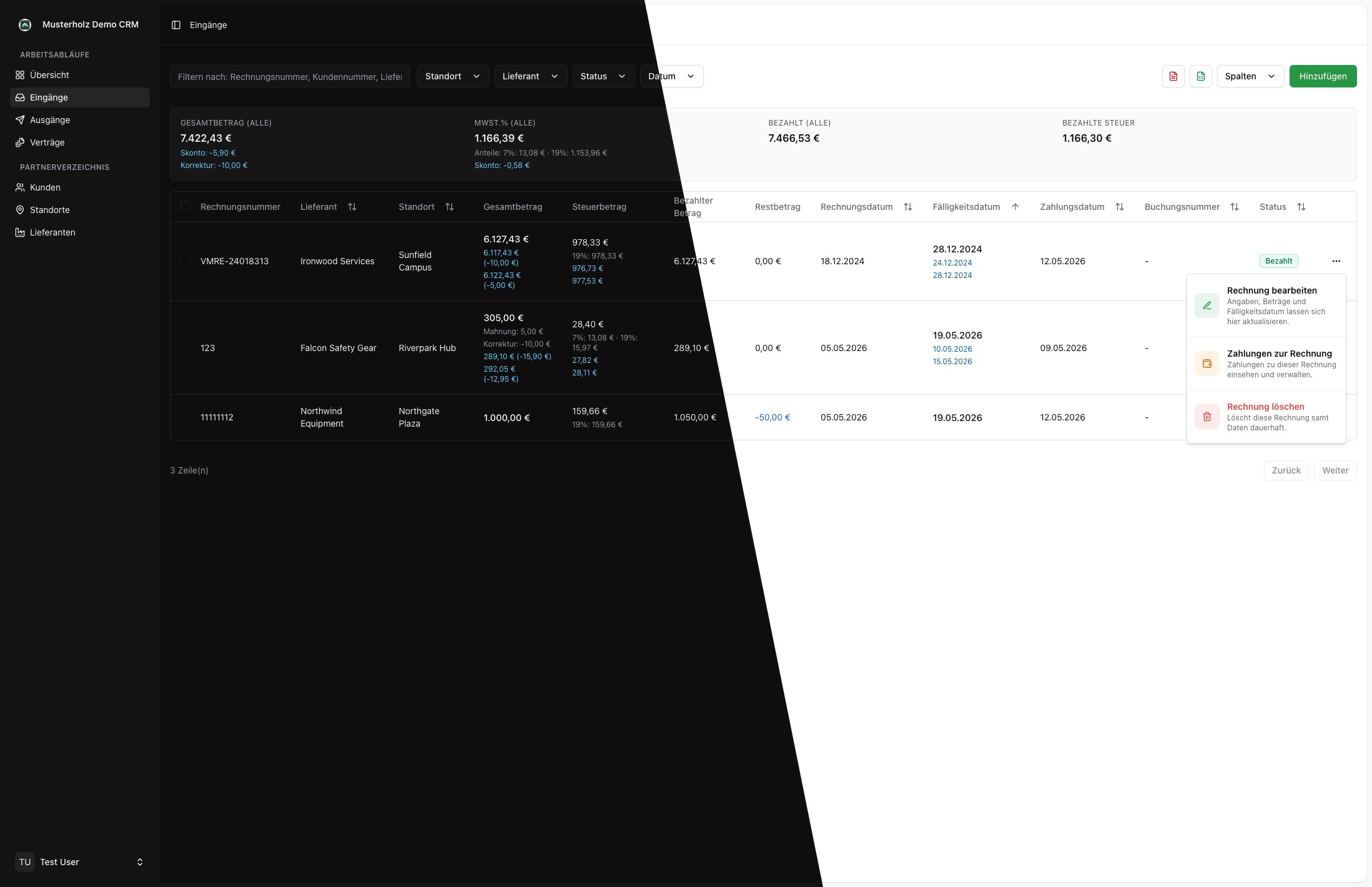
CRM table view with a diagonal split between dark and light mode
What changes

Many manual checks become one clear workspace

CRM should not feel complicated. It should help you find customers faster, understand task status, prepare documents and see what needs attention.

Customers and tasks in one place

Nobody has to remember which chat contained the agreement. Each customer has history, owners, statuses and documents.

Simple control for management

Instead of daily follow-ups, you see open tasks, delays and everything that is ready to invoice.

Languages and access for your team

German, English, Ukrainian or other languages, plus separate access for office, field employees and management.

CRM on the move

Mobile apps for teams that do not work only at a desk

If your team works on sites, at customer locations or on the road, a mobile flow reduces calls and manual reports. Employees record work immediately, while the office sees updates without chasing chat messages.

1

Work is captured where it happens

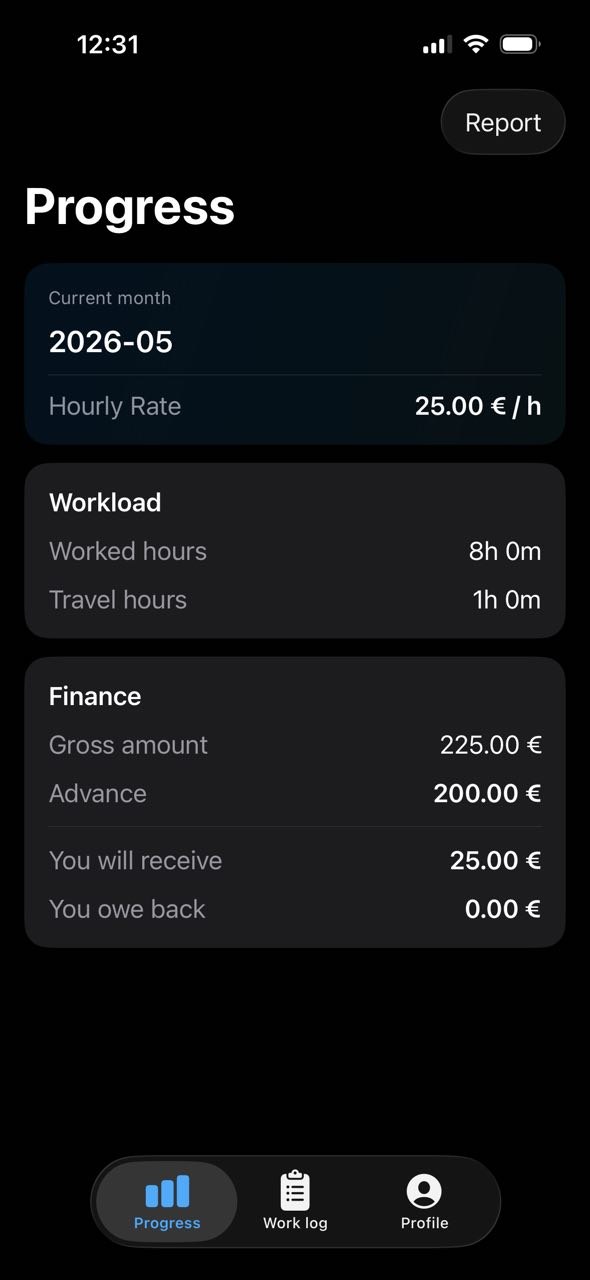
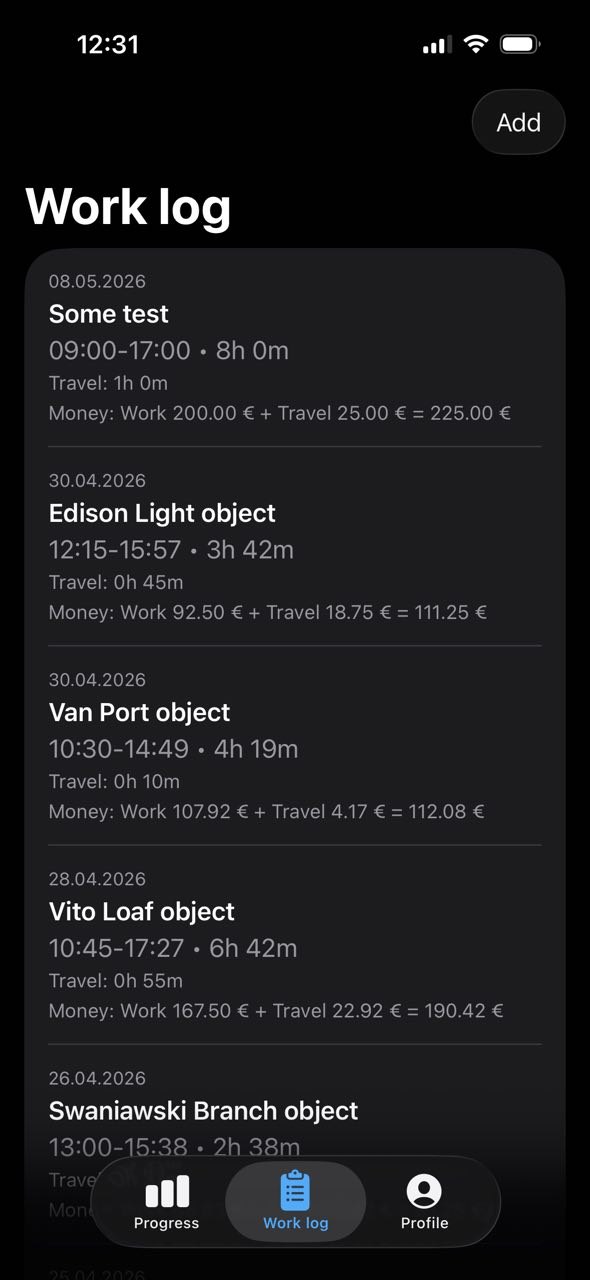
Time, travel, photo, comment and progress are not lost until evening, but go straight into the system.

2

The office asks fewer repeat questions

Fewer calls and messages, because status, site and responsible person are already visible.

3

Data is ready for reports

Totals, hours and materials do not need to be collected again before an invoice or monthly report.

Mobile CRM screen with progress, hours and finance overview
Mobile CRM screen with work log and time entries

How we turn chaos into a working system

No technical terminology required. You explain the business in your own words, and we turn it into a clear plan and usable interface.

01

Sort the chaos

We identify where requests, tasks, hours, documents and money get lost.

02

Sketch a simple path

We show how information should move from customer to work completion and invoice.

03

Build the first useful version

We create the key screens that immediately reduce manual work.

04

Train the team

We explain what to click and why it makes daily work easier.

05

Improve step by step

Reports, mobile flows and automation are added once the basic order works.

Examples where value becomes visible quickly

Every business is different, but the core goal is often the same: less manual control, less lost information and clearer tracking.

Service

Requests, technicians and follow-up work

Pain
Requests arrive through different channels and status has to be clarified manually.
What we simplify
Request, customer, assigned person, date and result stay in one place.
Gain
Fewer missed requests and faster control of the service team.
Construction

Sites, hours and materials

Pain
Work on sites is hard to combine into one report.
What we simplify
Employees record time, travel, photos and comments for the exact site.
Gain
The office prepares reports and invoices faster and sees real progress.
Field teams

Fewer calls between field and office

Pain
The office does not see who was where and what has already been completed.
What we simplify
The mobile flow shows status, owner and updates directly from the work location.
Gain
Management controls the situation without constant follow-up questions.
Wholesale

Customers, documents and payments

Pain
Agreements, invoices and open payments are spread across different files.
What we simplify
Customer history, documents, payment status and tasks come together in one record.
Gain
Fewer document mistakes and faster clarity on who needs a payment reminder.

Show us where time is getting lost

Briefly describe what is currently controlled manually: requests, jobs, invoices, employees, documents or reports. We will show how it can be simplified.

Your details are used only to process the request. Details are available in the Privacy policy.